
Interview
Use act-interview to turn a rough idea into high-signal context before writing a Spec.
A Spec is a requirements document that describes what should be built before code changes start.
When to use it
Section titled “When to use it”Use this skill when the task has unclear requirements, product decisions, user flows, constraints, or open tradeoffs. Skip it for small, obvious changes where the requirements are already complete.
Use act-interview-flutter when the project or task is Flutter/Dart. It asks the same kind of requirement questions with extra attention to UI states, platform behavior, state management, testing seams, and Flutter/Dart constraints.
Invoke it
Section titled “Invoke it”# example with inline prompt/act-interview "add account deletion"# example with prompt inside a file/act-interview path/to/initial-prompt.md# example with inline prompt/act-interview-flutter "add onboarding to the Flutter app"# example with prompt inside a file/act-interview-flutter path/to/initial-prompt.mdAnswer the questions
Section titled “Answer the questions”The agent will ask a series of focused questions one-by-one, offering a recommended answer for each:
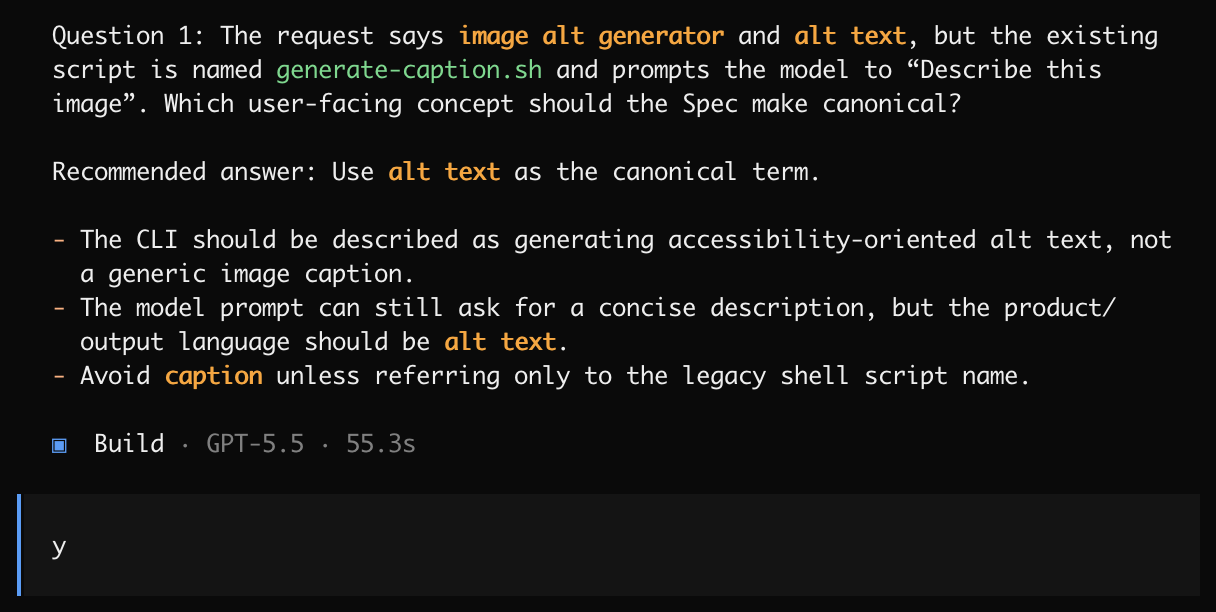
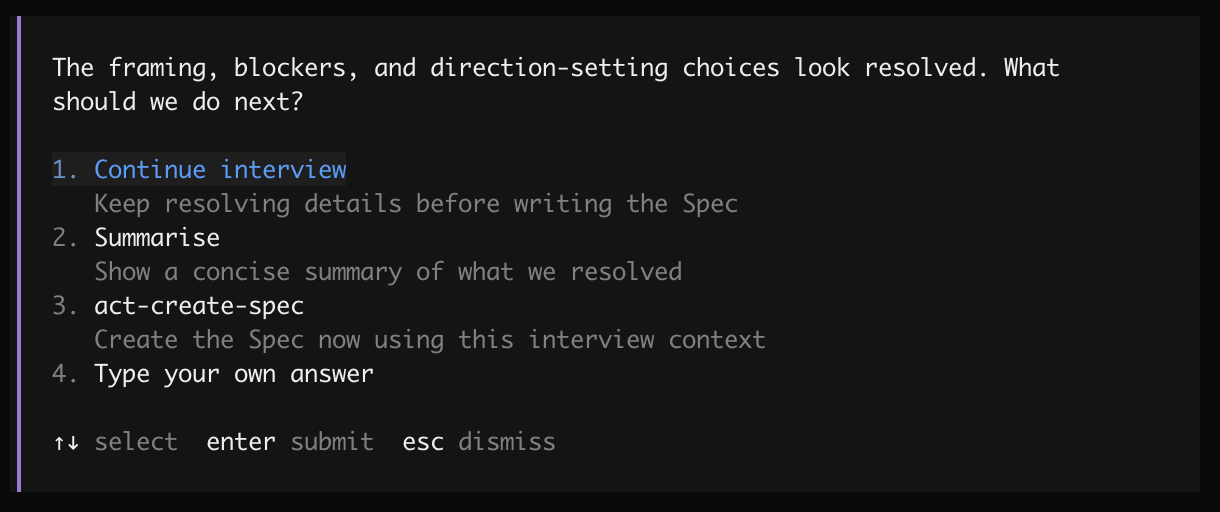
After the framing, blockers, and direction-setting choices are resolved, the agent asks what to do next:
Choose the next step
Section titled “Choose the next step”The checkpoint is a handoff point. Choose the option that matches how much confidence you have in the answers so far:
- Continue interview — keep resolving details before writing the Spec.
- Summarise — show a concise summary of what the interview resolved.
- act-create-spec — create the Spec now using the interview context.
- Type your own answer — give a custom instruction if none of the options fit.