
Choosing the Right Model
My practical recommendation is simple: use the most powerful model you can access.
In my experience, the frontier models from OpenAI and Anthropic have both been consistently good. Rather than over-optimizing model choice up front, I get better results by starting with a strong model and only dialing down when the task is clearly simple.
My default recommendation
Section titled “My default recommendation”If you are unsure what to pick, choose the strongest model available and use the high reasoning setting by default.
That gives a good balance between quality, reliability, and speed, while still leaving room to adjust up or down depending on the task.
Why I prefer stronger models
Section titled “Why I prefer stronger models”For complex coding tasks, stronger models are usually worth it.
This is especially true when the task requires:
- understanding a large or unfamiliar codebase
- connecting information across multiple files or layers
- following a detailed command or prompt structure
- making careful architectural or refactoring decisions
I have also found that the stronger variants do a better job following the command and prompt structure encoded in the Agentic Coding Toolkit. That matters a lot, because ACT relies on the model not just to write code, but also to respect the workflow and produce output in the expected format.
Choosing a reasoning level
Section titled “Choosing a reasoning level”Many modern models offer different reasoning levels such as low, medium, high, or xhigh.
Here is the rule of thumb I use:
high: my default for most ACT sessionsxhigh: worth using for the hardest tasks, especially when deep codebase understanding is requiredmedium: often enough for straightforward implementation worklow: fine for simple, well-scoped coding tasks where speed matters most
In particular, I have found high and xhigh noticeably better for tasks that require deeper analysis of the codebase or more precise adherence to the instructions.
How to change the model variant
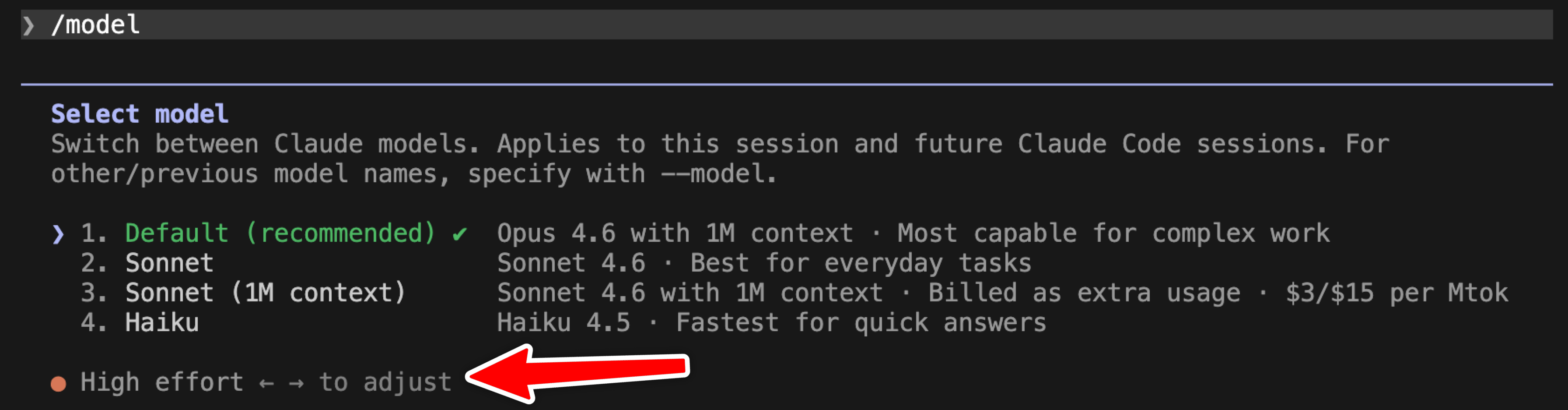
Section titled “How to change the model variant”Run /model, then use the left and right arrow keys to adjust the effort level.
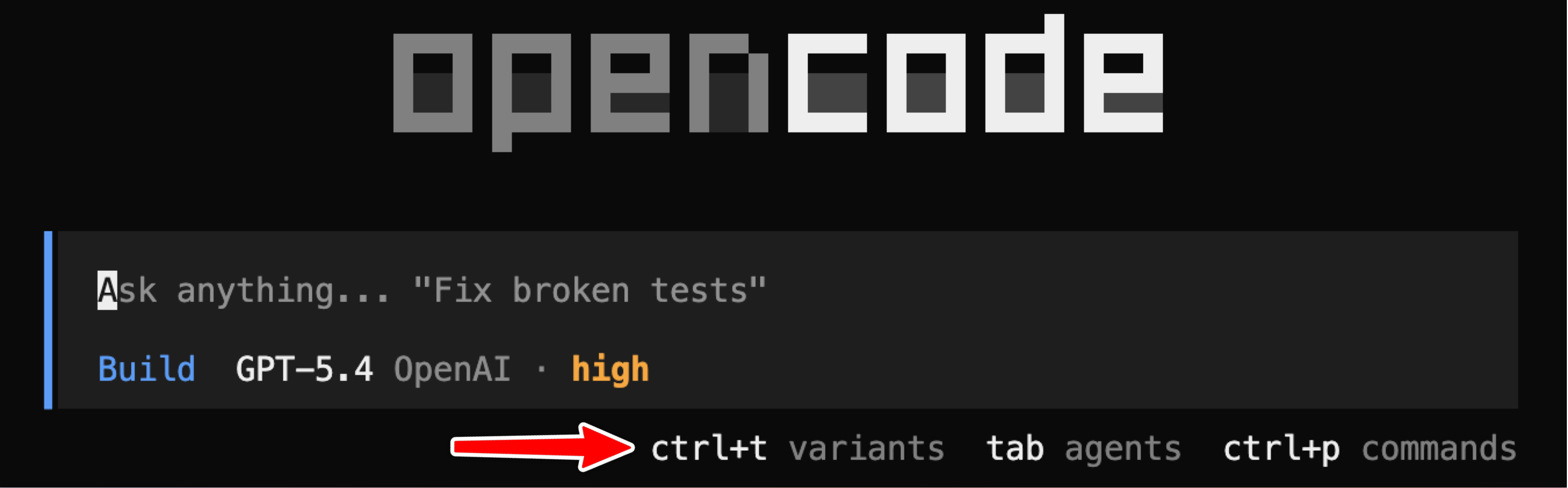
Press ctrl+t to open the variants menu.
So the practical takeaway is: start with the strongest model you can access, use high by default, move to xhigh for the hardest tasks, and drop to medium or low when speed matters more than maximum reasoning.
Related
Section titled “Related”- Workflow Overview --- understand each stage of the pipeline