
Create Spec
Use act-create-spec after act-interview to persist the decisions from the current session as a Spec.
A Spec is a requirements document that describes what should be built before code changes start.
When to use it
Section titled “When to use it”Use this skill after the interview has resolved the important framing, blockers, and direction-setting choices. It writes the Spec from the current conversation context; it does not run another interview or ask for outline approval.
Use act-create-spec-flutter when the project or task is Flutter/Dart. It carries forward Flutter/Dart user flows, UI states, testing seams, and implementation constraints.
Invoke it
Section titled “Invoke it”/act-create-spec/act-create-spec-flutterWhat it saves
Section titled “What it saves”act-create-spec writes two artifacts:
spec.md— the requirements document.interview-ledger.md— important Q&A decisions from the interview.
For local storage, those files are saved together under the configured path, for example:
ai_specs/0001-account-deletion/spec.mdai_specs/0001-account-deletion/interview-ledger.mdStorage follows .act/config.yaml; see Project Setup for local and GitHub storage behavior.
What it captures
Section titled “What it captures”The Spec preserves the requirements-level details from the session, such as:
- user-visible behavior and edge cases
- constraints and boundaries
- durable technical decisions
- testing strategy and Test Seams
- links back to Interview Ledger decisions where relevant
If a critical ambiguity would make the Spec unsafe or misleading, the agent may ask one inline question before writing. Otherwise, it writes the Spec directly.
Completion handoff
Section titled “Completion handoff”After saving the Spec and Interview Ledger, the agent recommends starting a fresh session with /new, then choosing one path:
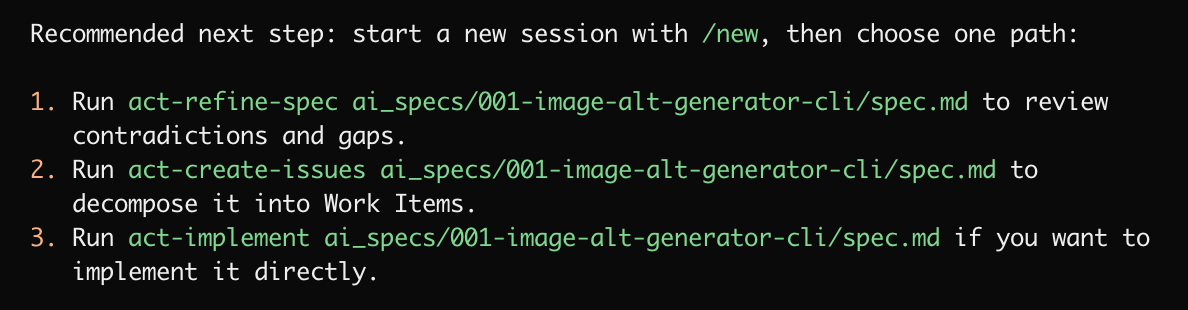
Choose act-refine-spec to review contradictions and gaps, act-create-issues to decompose the Spec into Work Items, or act-implement if you want to implement a small Spec directly.
Review before continuing
Section titled “Review before continuing”Review the Spec for missing requirements, wrong assumptions, unclear acceptance criteria, and incorrect boundaries. For non-trivial work, run act-refine-spec before creating Work Items.